IAM Labs: Browser-Based Protocol Testing (SAML, OAuth 2.0, and OIDC)#
One of my first IAM Labs, which is entirely browser-based, was to create a Auth0 tenant as an IdP, and test protocol behaviors such as SAML, OAuth, and OIDC. I accomplished this all with free tools and browser-based resources such as samlsp, hoppscotch, OIDCdebugger, and jwt.io.
1. SAML Integration Lab#
In Auth0, I created a new tenant and some test Applications for SAML and OIDC. For the SAML web application, I used samlsp.com as a service provider. This site provides a simple way to test SAML protocol behaviors without setting up a whole separate tenant first. It provides an Assertion Consumer Service URL (ACS URL) and other parameters that can be inserted into any IdP for testing, in this case Auth0.
Using the Auth0-provided metadata XML file from the web application, I was able to successfully set up the SAML integration with samlsp and test the login behavior.
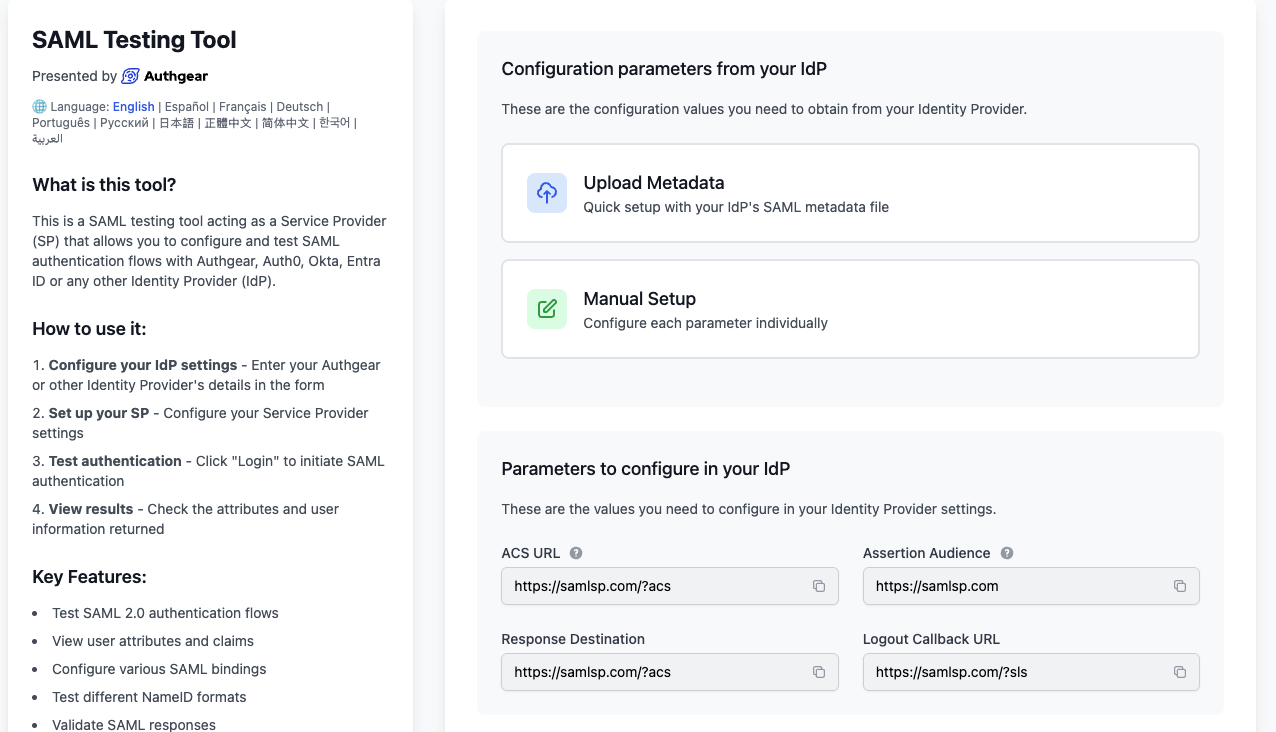
Real-World Application: This lab was an example of the exact procedure I would use in a real-world scenario to set up a SAML workflow in any IdP and any Service Provider.
2. OIDC (OpenID Connect) Lab#
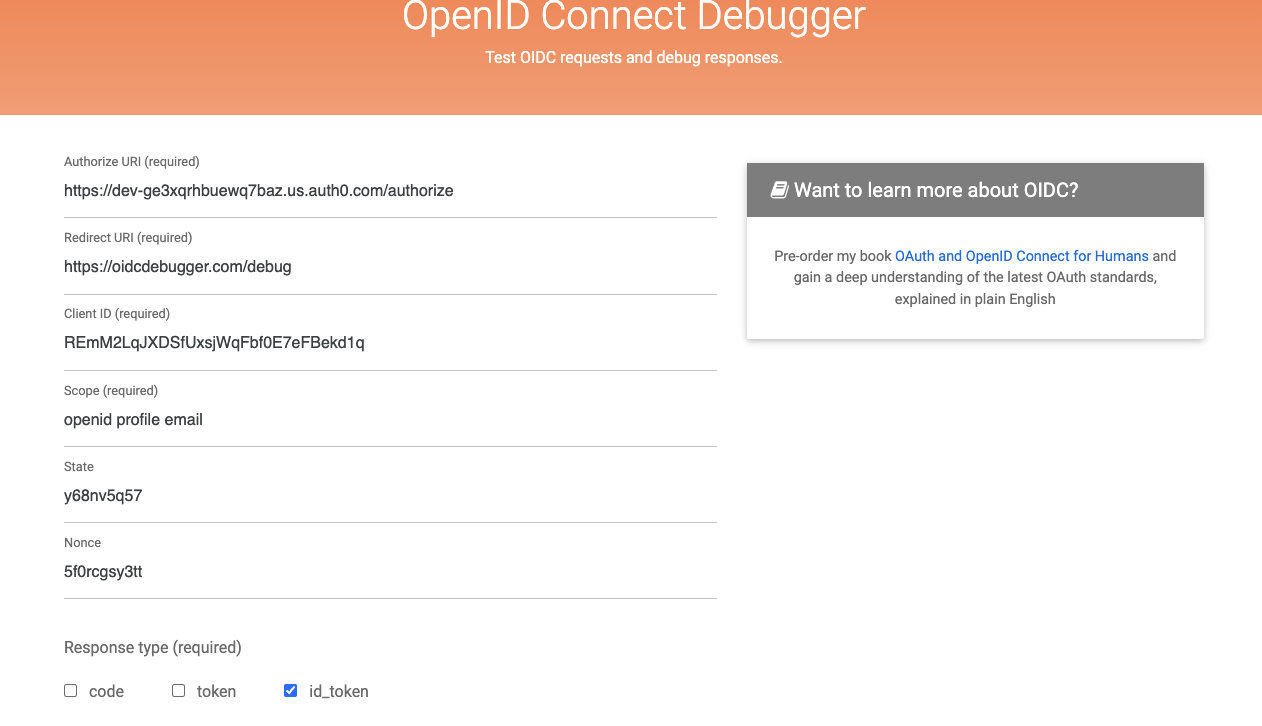
The OIDC lab was similar, except I used the OIDCdebugger as the relying party while Auth0 remained as the OpenID Provider. OIDCdebugger is a great free tool for testing OIDC protocol behaviors and debugging responses.
- Authorize URL: Provided by Auth0, this URL takes the user to the Auth0 login page for authentication.
- Redirect URL: Provided by OIDCdebugger, this URL takes the user back to the web application after logging in.
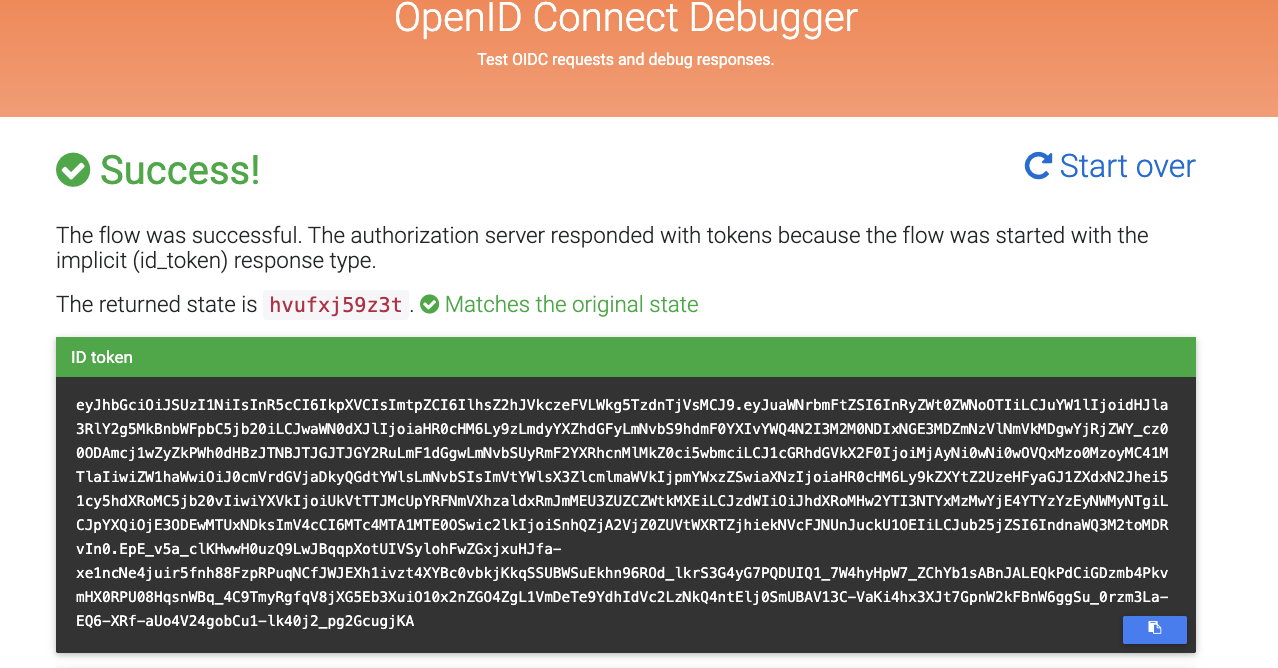
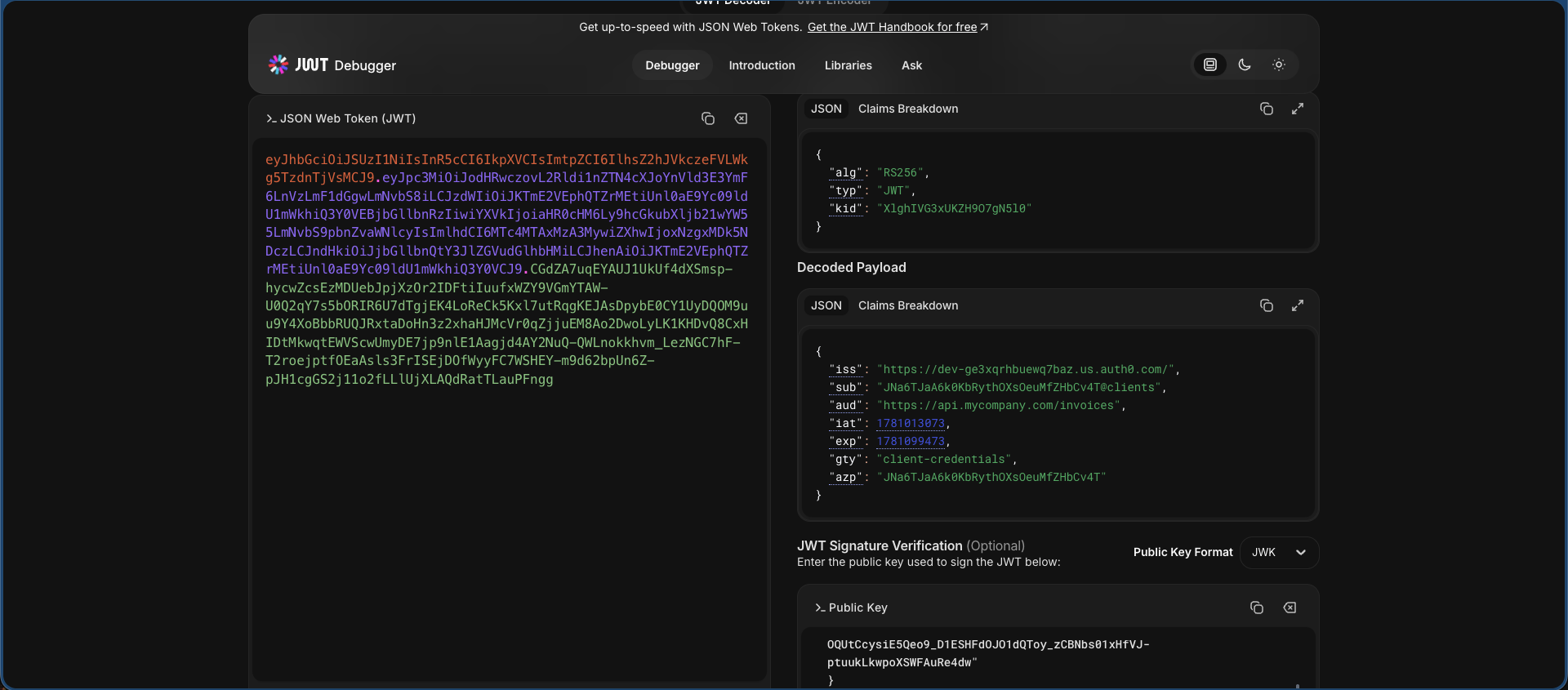
Once the test was successful, I took the provided JSON Web Token (JWT) and used jwt.io to decode the token and verify the claims. This is a real-world applicable workflow for setting up an OIDC workflow similar to the SAML one, which can be translated and used in any environment.
3. OAuth 2.0 Authorization Lab#
The final lab I completed in this set of web-based IAM labs was to set up a working example of OAuth 2.0, which is the authorization process after OIDC authenticates access.
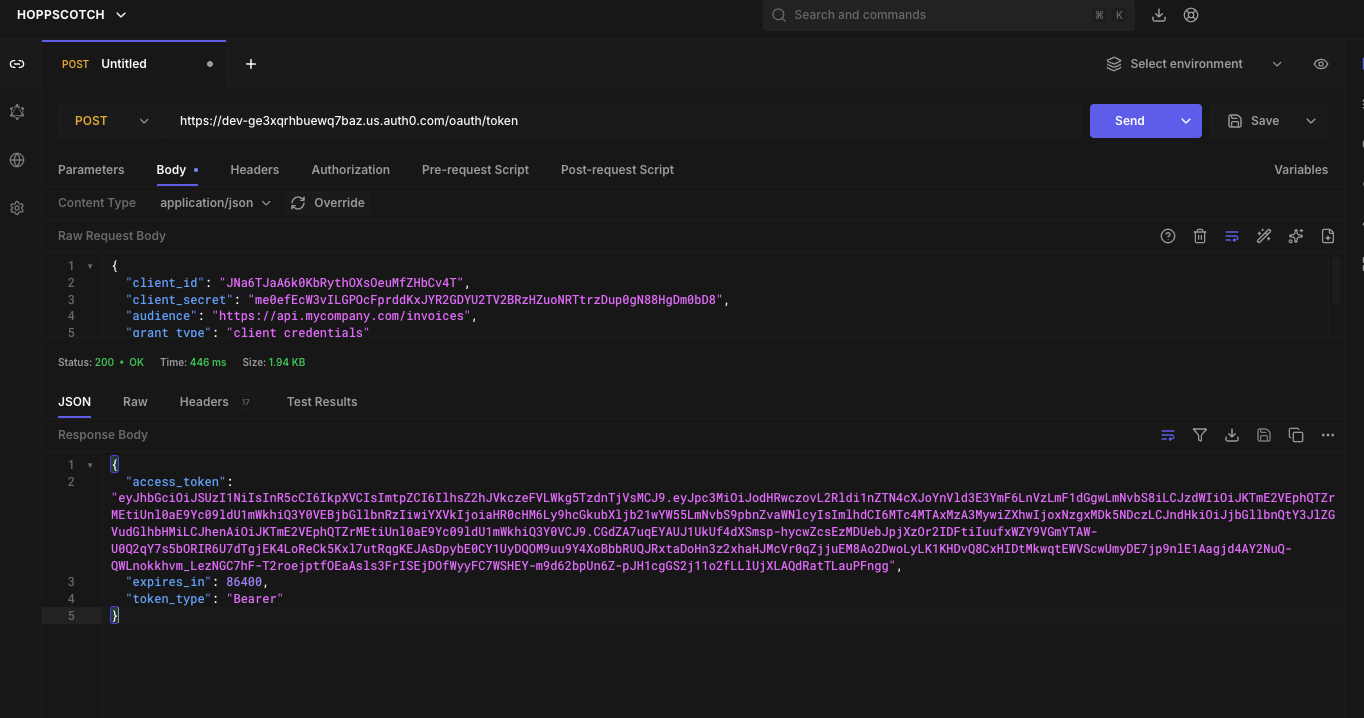
This lab uses a test API created in Auth0, with a test permission to access. Using Auth0, I created a new API to act as a test with a single permission to grant, and a Machine-to-Machine (M2M) application to act as the client.
Testing the OAuth M2M workflow was done using hoppscotch.io, a free API testing tool. It provides an access token that can be decoded using jwt.io to confirm that the token granted access to the API without providing any identity information—which is the core principle of OAuth 2.0 and how it is functionally different from OIDC.